

How to Make Bulk Changes to Multiple Users in MyCloud UCaaS
1. Click the Users tile.

2. Check the box(es) of users making bulk edits to and the Bulk Action/Bulk Edit option will show.
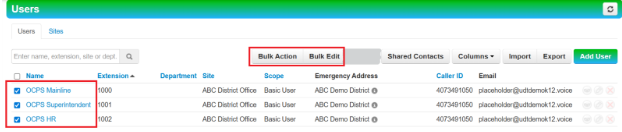
Caution: If you click the Check All checkbox, it will match all users that match the filter, not just what’s on the page.

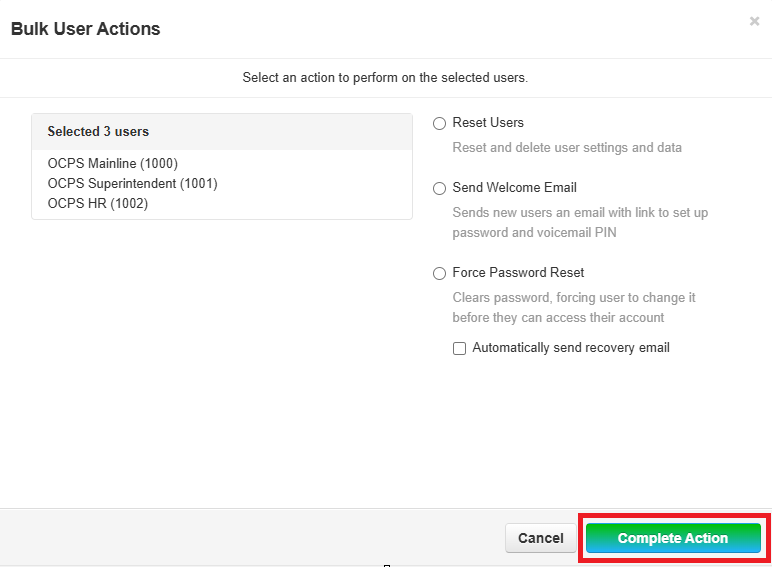
- Bulk Action option – this option can be used to Reset Users, Send Welcome Email, and Force Password Reset for multiple users.
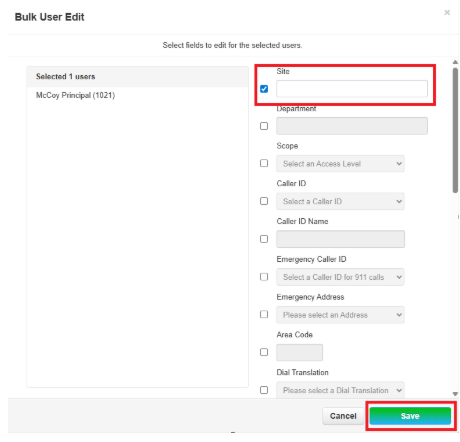
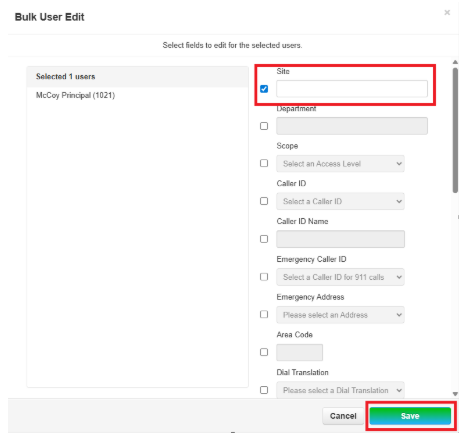
- Bulk Edit option – this option can be used to perform multi actions for multiple users. Note: To edit the field, you must check the box to edit.



Leave a Reply
Want to join the discussion?Feel free to contribute!